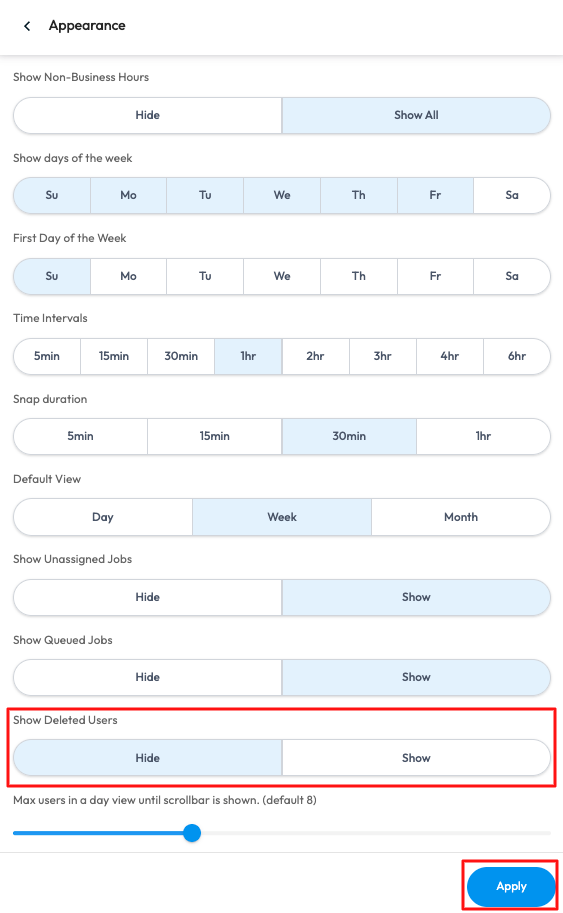
If you are the Super Admin of the account, you will be able to see all Active and Deleted users in the Scheduler. You will be able to apply settings to Show or Hide the deleted users.
In the Web Portal > Scheduler > Select the More Options menu > Settings > Appearance > Select Show/Hide Deleted Users > Apply.