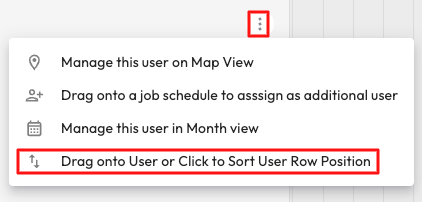
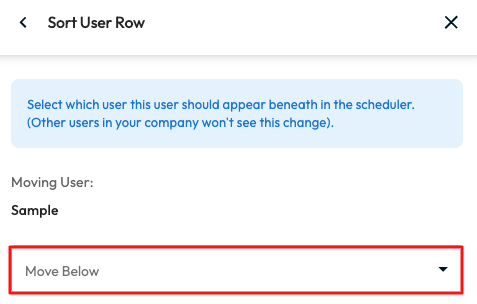
You will be able to change the order of your the Users in Day and Week view in the Scheduler by selecting the 3 dots next to the user you would like to re-order > Select Drag onto User or Click to Sort User Row Position > Select from the drop drown the user you would like the one you are moving to appear below > Move User.
If you are wanting to move the User Group, you will be able to drag and drop the Group in Week View under or above another User Group.