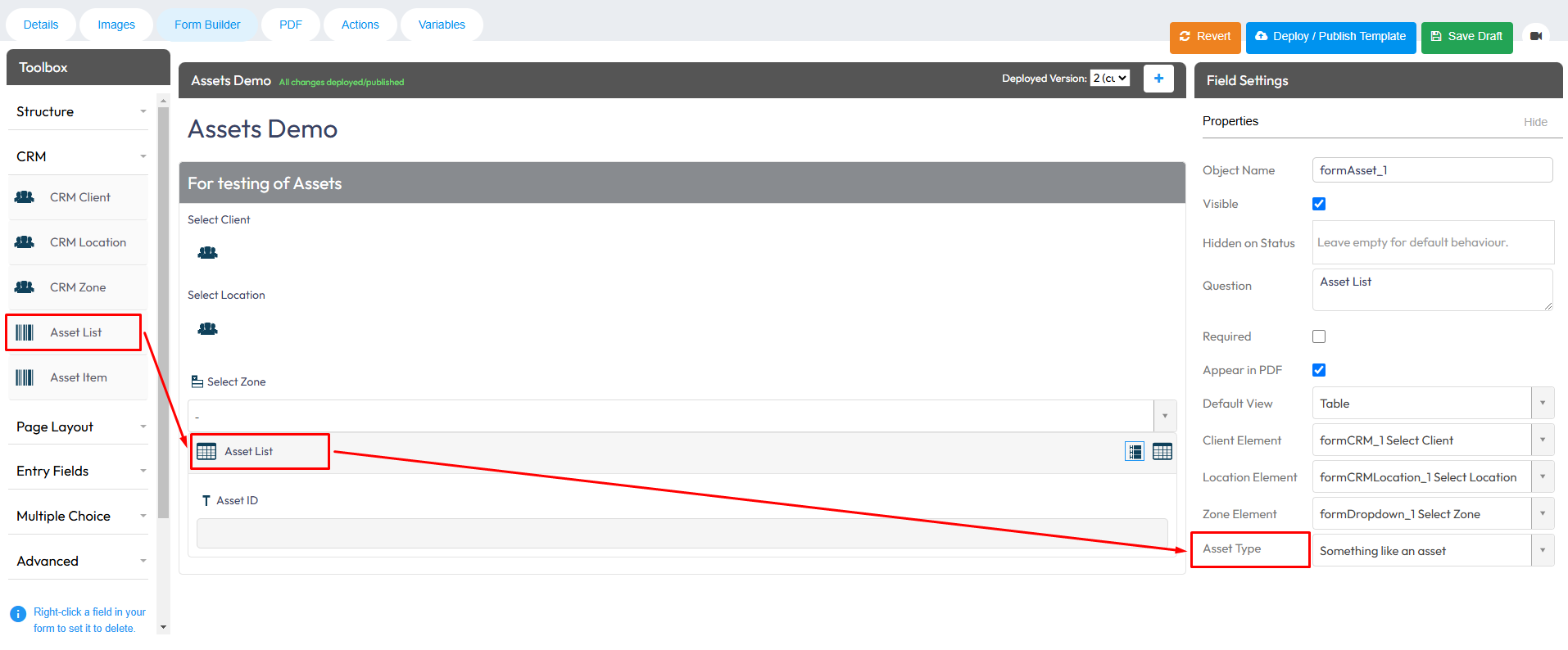
You can link Assets to your Forms using the Asset element in the Form Builder. This allows users to select an existing Asset when completing a Form.
In the Web Portal > Forms > Existing Templates or Build New Template > Form Builder > Drag and drop the Asset element into your Form > Select the Asset Type you would like to link.
You can add multiple Assets to the same Form if you need to select Assets from different Asset Types.